Who it's for
A job board for the companies at your event
Live for the weeks that matter, in your event's own look, and switched off again afterwards.
Send us a messageAdd a job board to your event page
Four steps, no developer needed.
- Add a board
- Add the companies taking part
- Pick your colours in the widget configurator
- Copy the snippet and paste it into your event page
Snippet to embed
index.html
<script src="https://hulp.work/embed.js" defer></script>
<hulp-job-board board="your-event" theme="light"></hulp-job-board>
Manage as many boards as you have events from one account, one per event. Each keeps its own companies, its own look and its own snippet.
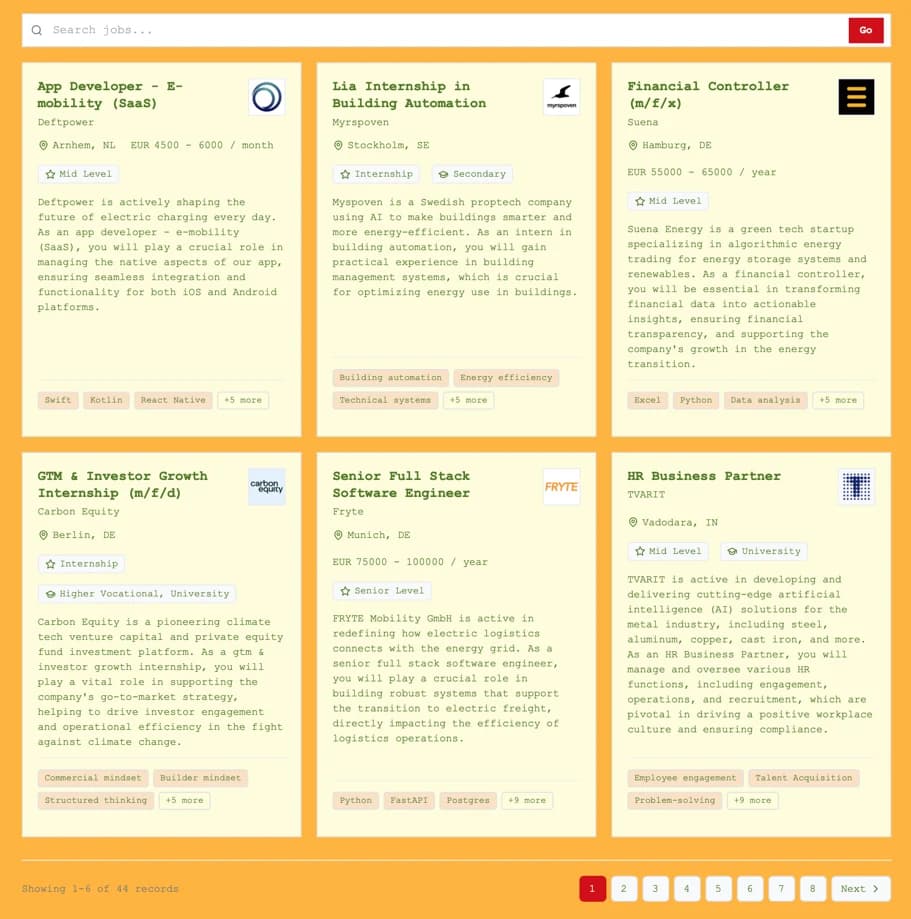
- One board per event
- Run a separate board for each event you organise, each with its own branding and its own list of companies.
- No base fee for short runs
- The widget carries no base fee, so on a three-month board you pay only for the roles it actually showed.
- Embedded in your event site
- Paste one snippet into the page you already have. No redirect, no separate site to maintain.
01
02
03
How it works
From company list to live job board in three steps.
- 01
Add your companies
Company names and careers pages are all we need. Nothing to fill in, nobody to chase.
- 02
Hulp AI does the rest
We collect, translate and clean every vacancy, and keep them up to date daily.
- 03
Your branded board goes live
On your own domain, in your own branding — candidates search your whole network in one place.
Build the widget for your next event
Configure it, copy the snippet, and see the board on your own page before the event goes live.